
SixFifty · 2025
AI Features
The hard part was never the model. It was getting people to trust the answer. Ask AI shipped at 96 percent accuracy and became the most-used feature on the platform.
- Tags
- AI · Product · SixFifty
Overview
Three AI features I designed at SixFifty: Ask AI (live for over a year), Update Merge (beta), and AI Workflows (beta). Each one solves a real customer problem in legal tech, and each one uses a different surface from the AI Interaction Framework. I designed everything on the front end of all three: the chat interface, the document editor, the update process, and the full-screen workflow chat.
The setup
SixFifty is HR legal tech. Customers come to us to generate legal documents that are actually compliant in their jurisdiction, get notified when employment law changes, and walk through compliance flows that would otherwise take a lawyer. AI at SixFifty isn’t a chatbot bolted onto a SaaS app. It’s the layer that turns a complex legal product into something you can actually use without being a lawyer.
These three features each take on a different chunk of that. One answers questions. One handles legal updates against documents the customer has already customized. One walks the customer through entire compliance workflows.
Ask AI
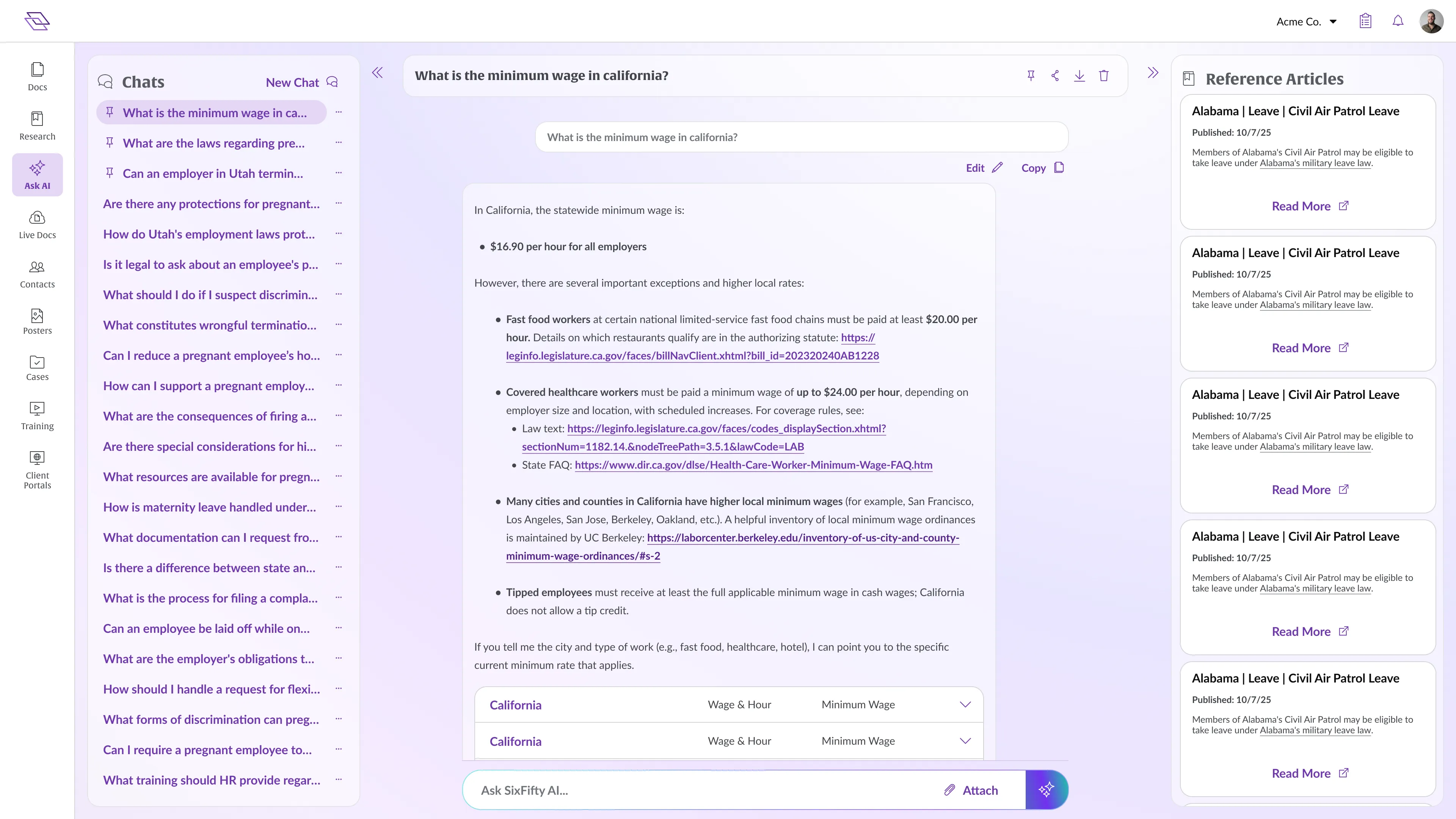
This is the feature customers love. It’s our top engaged feature by a wide margin, it’s been live for over a year, and we’ve held a 96 percent accuracy rate the whole time.
Ask AI is a chat that lives in a sidecar, with the option to expand to fullpage. The user asks any HR or employment-law question in plain English. The AI doesn’t reach for the open internet or pull a generic ChatGPT-style response. It uses RAG over our own corpus: the deep library of articles our lawyers have written every time employment law has shifted somewhere in the country. The answer is generated against that corpus, and the response always links back to the source articles the AI used.
So it’s not a wrapper. It’s a grounded answer with sources. That distinction matters in legal, where a confident-sounding wrong answer is worse than no answer at all.
We picked RAG because it was the fastest way to get something out the door, and we never bothered exploring alternatives once it started working. It worked really, really well. Our team of lawyers reviews answers every week, and the 96 percent number has been stable for over a year. When the answer is wrong, our CSMs reach out to the customer directly. That has happened a handful of times in twelve months.
We don’t run “I’m not sure” guardrails on the answers themselves, because the answers are accurate enough not to need them. The only guardrail in the UX is detecting when a question isn’t actually a legal question, in which case the AI politely steps out of the way.
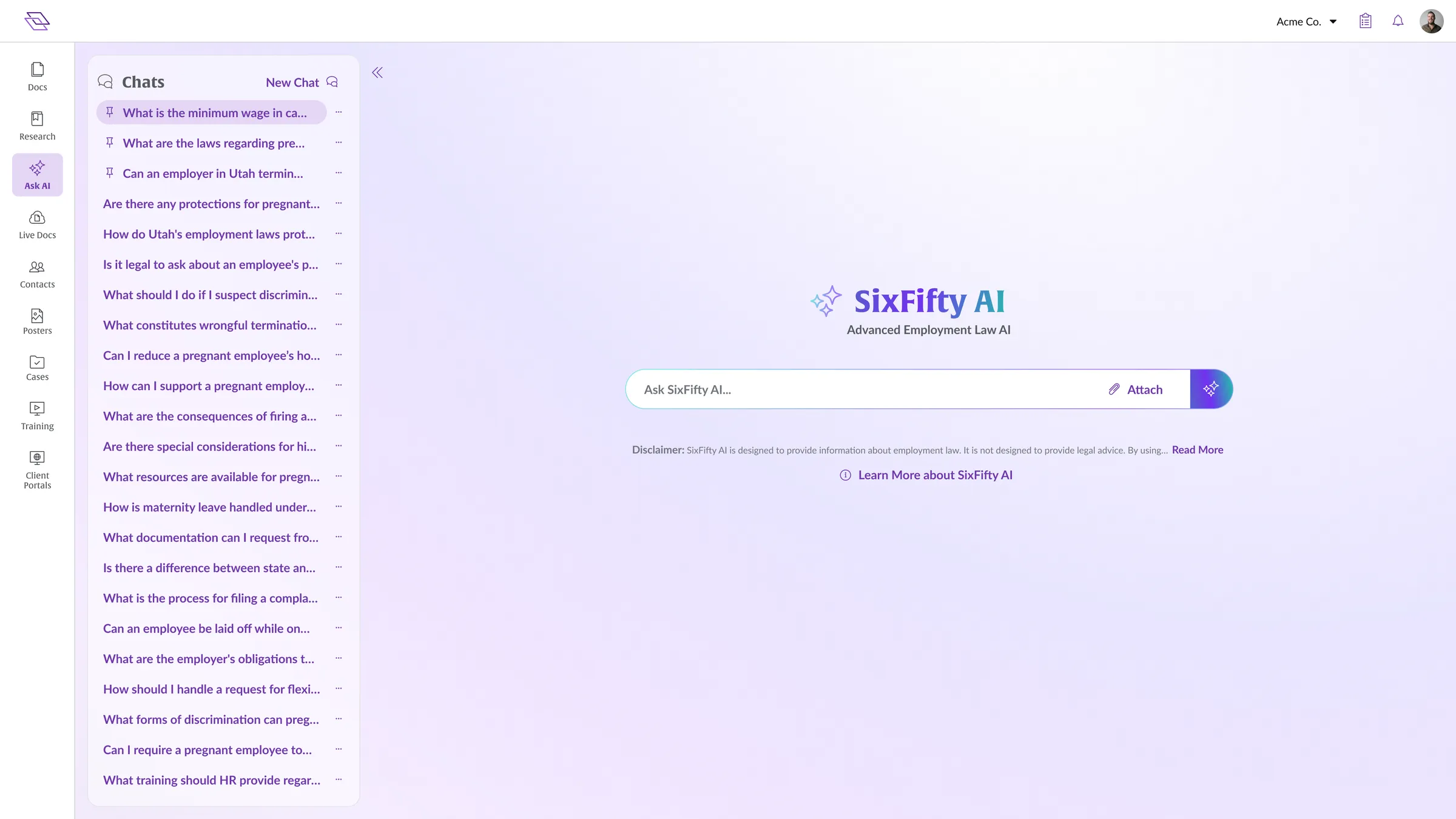
Top engaged feature by a wide margin. 96% accuracy. Stable for over a year.
Update Merge
Most legal doc tools force customers to choose between customizing a document and getting compliance updates. Customize the doc and the tool stops updating it. Take the updates and lose your customizations. SixFifty doesn't make customers pick. We let them customize, and we still apply legal updates when the law changes. AI is what makes that possible at scale.
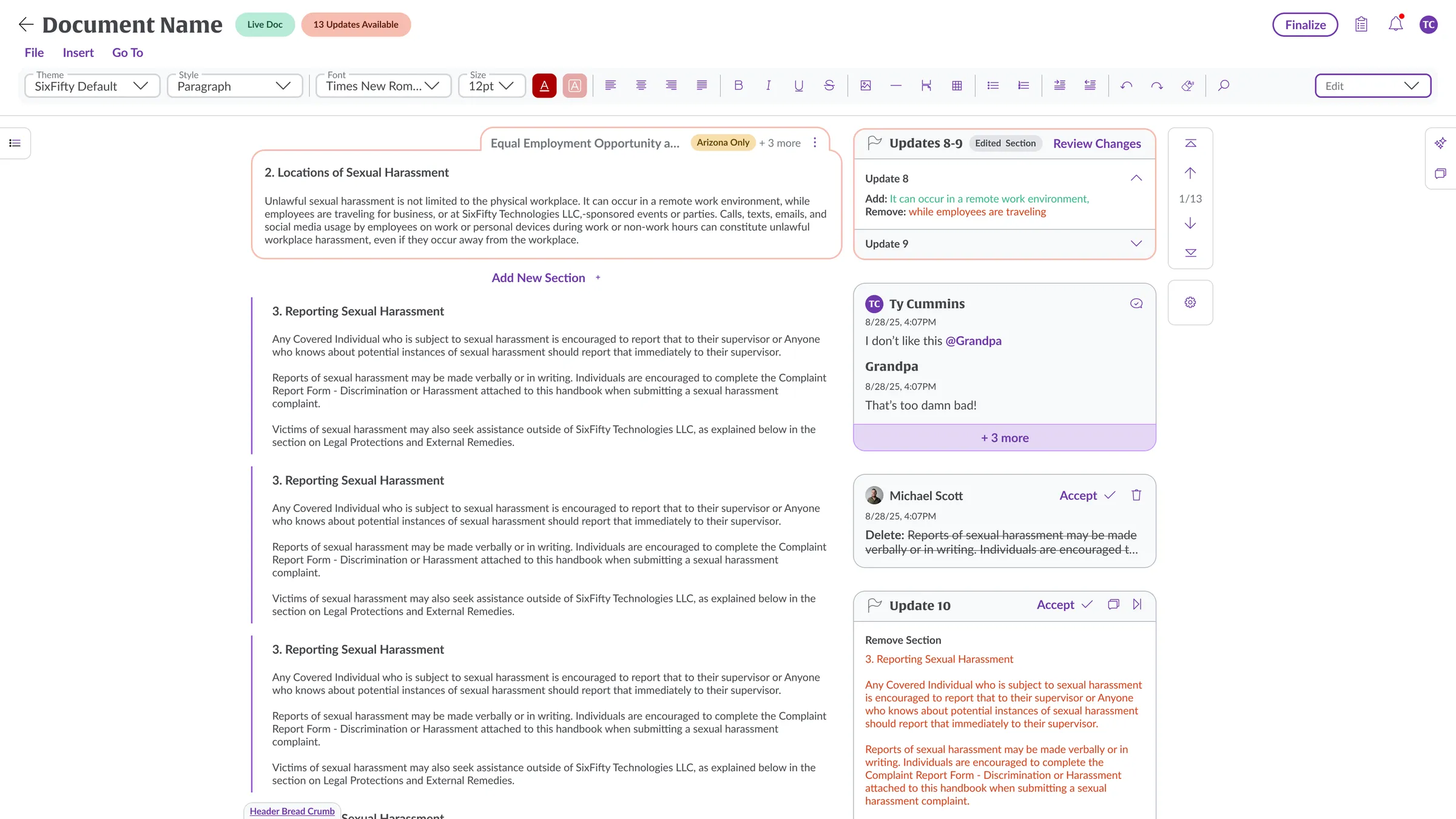
Here’s what happens when the law changes and a customer’s document needs updating. The customer gets a notification and an email. They open the app, navigate to the document, and land in the editor. Every update they have pending lines up on the right side of the document, just like Google Docs comments and suggestions. They walk through the updates one at a time. Each update falls into one of three buckets.
Simple changes
A typo, a comma, a date. Auto-applied. The user doesn’t have to think about them.
Unedited chunks
A chunk is one of the small sections we generate based on the customer’s earlier answers. Show up as a clean accept or reject. The customer hasn’t touched this section, so the new template language can drop in untouched.
Edited chunks
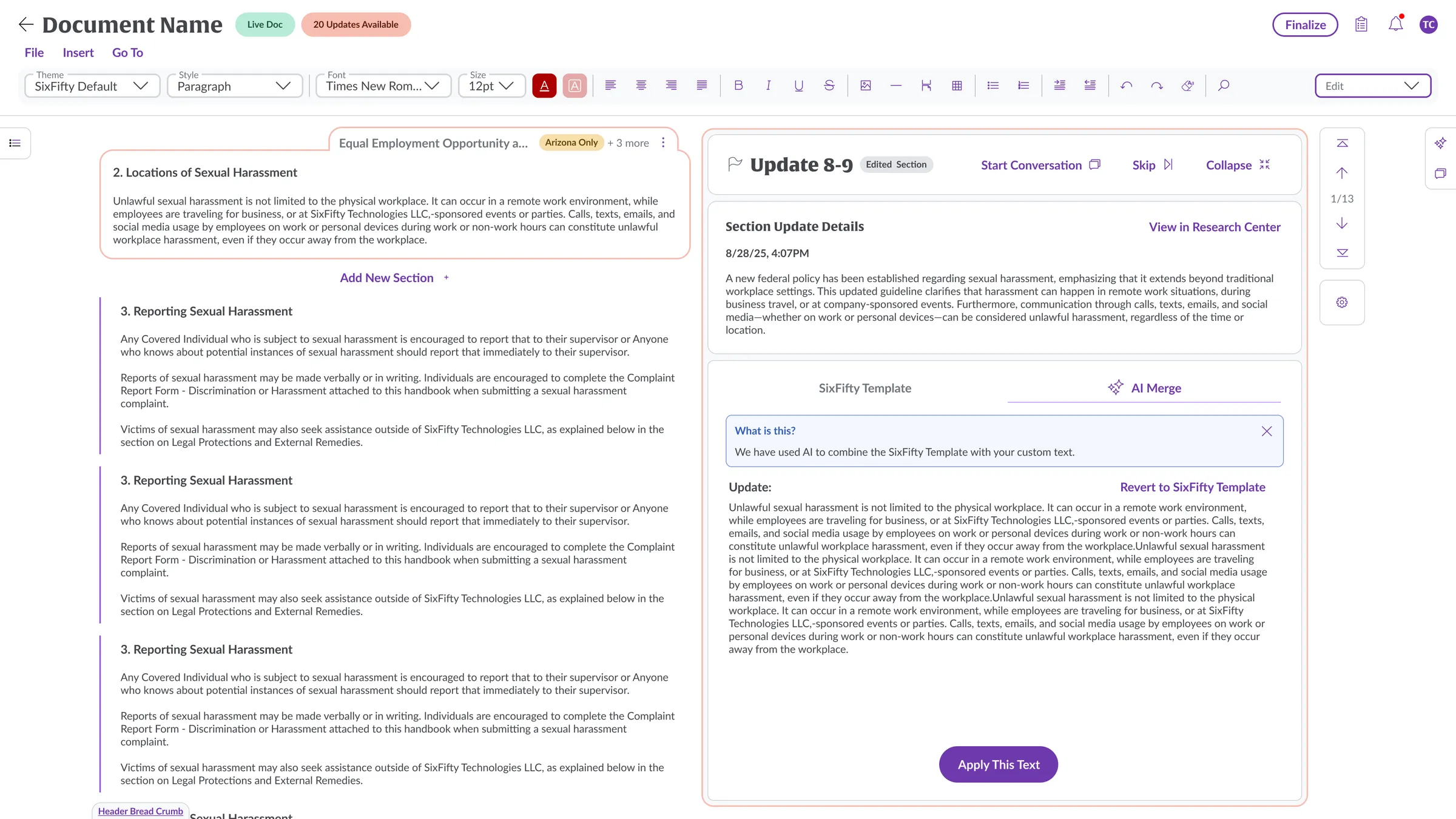
The hard ones. The customer has customized this section, and the law has now changed it. They can copy and paste the parts of the new text they want, let AI merge in one click, or roll back to the original template language with the legal update applied.
The AI merge is opt-in. The user accepts or rejects what the AI produces. If something does slip through wrong, the next legal update on that section will re-flag it, so the document doesn’t stay uncompliant for long. We’re planning a “scan this chunk for compliance” feature down the road.
The design challenge here is sheer volume. A customer who hasn’t updated their document all year can have hundreds of updates queued up. Pages and pages of legal text to walk through. Before AI, working through that backlog took hours. With AI in the loop, customers get through the same volume in under ten minutes. The win isn’t that AI is doing the legal thinking. The win is that AI removes the busywork so the customer can focus their attention on the chunks that actually need their judgment.
AI Workflows
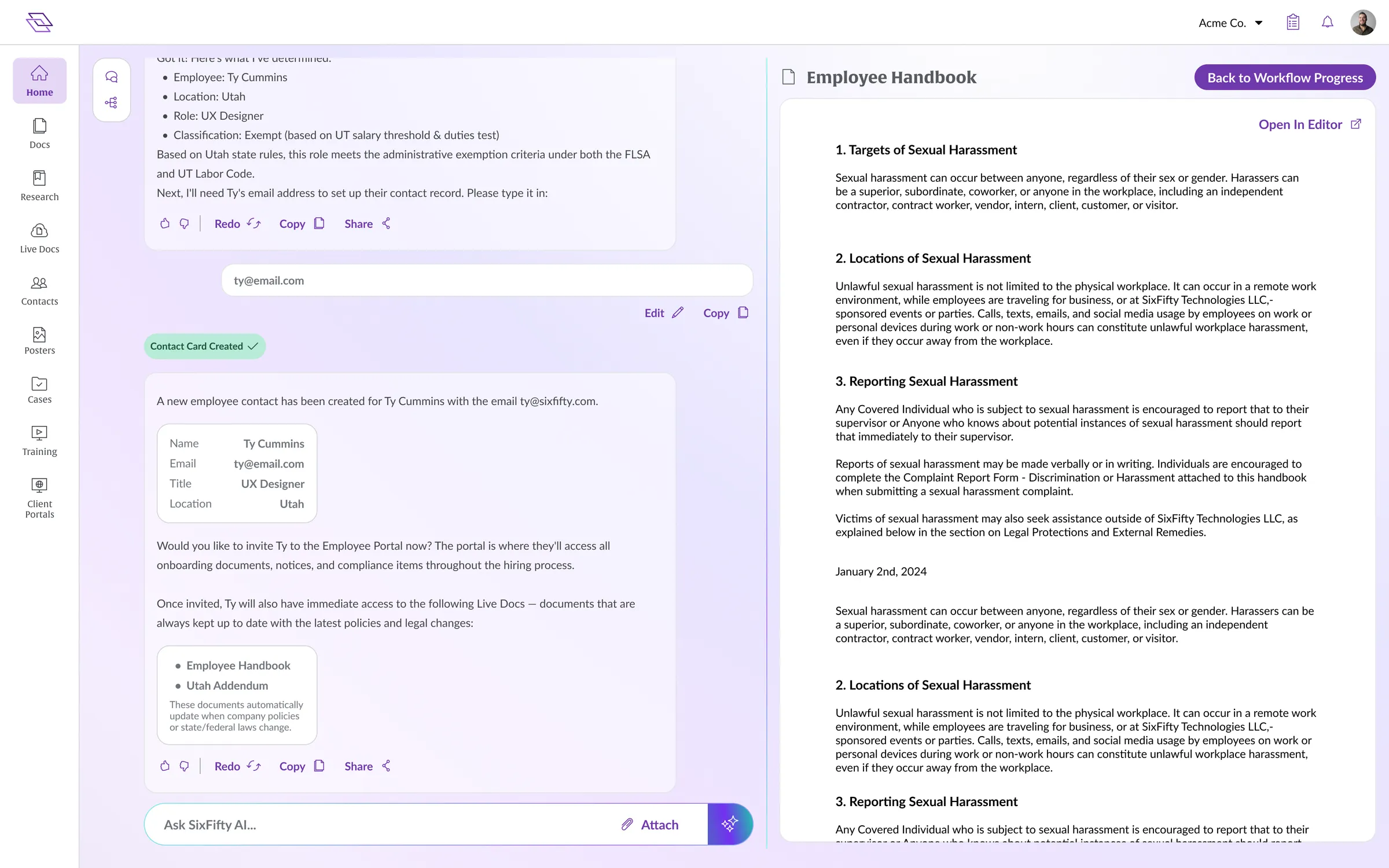
The rules engine has been the spine of SixFifty since the company started six years ago. It’s the backend that takes 5 to 100 questions about a customer’s situation, factors in jurisdiction-specific knowledge, and decides which sections of a legal document apply. It also drives compliance workflows like “hire a new employee in California,” which lays out every step a customer has to complete: offer letter, employment agreement, signatures, I-9, and on down the list.
We hooked AI up to the rules engine. Now a customer kicks off a workflow and the AI walks them through it.
The interaction lives in a fullpage chat, with the workflow’s progress on the right rail. The user can see every step that needs to happen, what has been completed, and what is still pending. If a step requires something the AI can’t generate on its own (like a signature from the new hire), the chat calls it out clearly so the user knows what’s on them.
Most of what the AI auto-builds is either pulling documents the customer already has on file, or running them through the question flow and showing them a preview of the resulting document on the right side. The new hire’s name and email come from the customer’s HRIS, so by the time the user kicks off “hire someone in California,” the AI already has most of the inputs it needs.
For a single new hire, that workflow can generate fifteen to twenty legal documents. Hours of work, or thousands of dollars in lawyer time, collapsed into a single chat session. The customer puts the new hire into their HRIS, and we handle the rest.
How they fit the framework
Each of these features lives in a different surface from the AI Interaction Framework, which is part of why I designed the framework and the features in parallel. The framework gave me a shared vocabulary for all three.
Ask AI
Lives in Sidecar with the option to expand to Fullpage.
Update Merge
Lives Inline, woven directly into the document editor.
AI Workflows
Lives in Fullpage with conversational chat at the center and progress on the right rail.
If we’d built the features without the framework, we’d be reinventing the same surface decisions three times over. With the framework in place, every new AI feature is an answer to “which surface” before it’s an answer to “what does the AI do,” and the surface decision shrinks the design space dramatically.
Where they are
Ask AI is live and shipping value. Top engaged feature, customer favorite, 96 percent accurate, stable for over a year.
Update Merge and AI Workflows are in beta. Customers using them are loving what AI is doing for the slowest parts of their work, and the design is still evolving as we learn what the heaviest customers need.
What I’m proudest of across all three: none of these are AI features for the sake of having AI in the product. Each one is solving an actual SixFifty problem that AI happens to be a great fit for. The chat is grounded in the lawyers’ own writing. The merge respects the customer’s customizations. The workflow plugs into the rules engine that has been the heart of SixFifty for six years. AI here is the spice, not the meal.
Next case study
Pluralsight Leader Hub
Analytics was our number one driver of churn. There was no leader dashboard, so I built one from zero. Deep data for the leaders who wanted it, a glance for the ones who didn't.